

Your Business Shouldn’t Depend on You Doing Everything Manually
You’re answering customer messages, checking emails, following up with leads, updating contact records, and trying to remember which prospect needs a call back. Meanwhile, the work that actually grows your business keeps getting pushed to the bottom of the list.
Sound familiar?
Running a business shouldn’t mean spending every day buried in repetitive tasks. Yet many business owners find themselves working harder simply because their processes depend on manual effort, scattered tools, and someone remembering what to do next.
Here’s the good news: business automation can help you build smarter systems that keep routine work moving without requiring you to manage every step manually.
From capturing new leads and organizing customer conversations to scheduling follow-ups and tracking sales opportunities, automation helps bring structure to everyday business operations.
That’s the thinking behind Task Rebel AI: helping business owners stop chasing leads, simplify their workflows, and spend more time on the work that matters.
You don’t need to automate everything overnight. You just need to know where to start.
Let’s break down the basics.
What Is Business Automation?
Business automation is the use of software, digital workflows, and sometimes artificial intelligence (AI) to complete repetitive tasks with less manual intervention.
Instead of relying on someone to perform every step individually, an automated system follows predefined instructions or conditions to carry out routine activities.
For example, imagine a potential customer fills out a contact form on your website. Rather than manually copying their details into a spreadsheet, sending a confirmation email, and notifying your sales team, an automated workflow can handle those steps according to your configuration.
The result? A more organized process, fewer manual handoffs, and a clearer path from initial inquiry to customer conversation.
How Does Business Automation Work?
Most business automation workflows contain four essential elements:
- Trigger: An event starts the process, such as a new lead submitting a form.
- Rules: Conditions determine what should happen next.
- Actions: The system performs tasks, such as recording contact details or sending an approved message.
- Monitoring: People review results, correct errors, and improve the workflow when necessary.
Consider a simple lead management process:
New inquiry → Contact record created → Follow-up initiated → Team member notified → Opportunity tracked.
Each step has a purpose, and the process becomes easier to manage when the steps are connected.
Automation doesn’t mean removing people from the business. It means reducing the manual work surrounding the decisions, conversations, and relationships that still need a human touch.
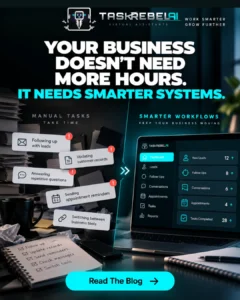
What Is the Difference Between Business Automation and AI?
Traditional automation typically follows predefined rules. For instance, it might send a confirmation email whenever someone books an appointment.
AI can help with tasks that involve interpreting information, such as categorizing an incoming customer message or assisting with a response.
When combined, automation and AI can support more flexible workflows. However, AI-generated outputs can be incorrect, so important communications and high-impact decisions may still require human review.
The goal isn’t to make every process autonomous. It’s to make your business work better.
Why Does Business Automation Matter for Small Businesses?
Large organizations aren’t the only businesses that benefit from structured processes. Small businesses often have even more to gain because owners and employees already handle multiple responsibilities.
When every task requires manual attention, small inefficiencies can quickly add up.
Stop Losing Leads to Slow Follow-Ups
A potential customer reaches out while you’re busy with another appointment. You intend to respond later, but another task takes priority. By the time you remember, the prospect may have moved on.
A well-designed automation workflow can record the inquiry, initiate an appropriate response, and create a follow-up reminder or notification.
Automation cannot guarantee that every prospect will convert, but it can help reduce the risk of opportunities being overlooked.
Spend Less Time on Repetitive Tasks
Think about the activities you repeat every day:
- Entering customer details into multiple systems.
- Sending routine appointment confirmations.
- Reminding prospects about a next step.
- Updating sales pipeline records.
- Notifying team members when something changes.
When these tasks follow predictable rules, they may be good candidates for automation.
Keep Customer Conversations Organized
Managing conversations across email, phone calls, text messages, and social media can make it difficult to maintain a clear picture of each customer relationship.
A centralized CRM and unified inbox can help bring supported communication channels and contact information together, making it easier to understand previous interactions and identify the next action.
Build Systems That Support Growth
Growth creates complexity. More leads mean more conversations, more follow-ups, and more opportunities for something to fall through the cracks.
Repeatable workflows give your business a more consistent way to manage that increased activity.
Instead of relying entirely on memory, you establish processes your team can follow, monitor, and improve.
What Are the Main Types of Business Automation?
Business automation comes in several forms. Understanding the differences can help you identify which approaches fit your needs.
1. Workflow Automation
Workflow automation connects individual steps so that one action can trigger another.
Example: A new inquiry creates a contact record, triggers an internal notification, and starts a configured follow-up sequence.
This is particularly useful when several routine tasks need to happen in a specific order.
2. CRM and Sales Automation
Customer relationship management (CRM) automation helps organize contacts, track opportunities, and manage sales-related activities.
Common applications include lead assignment, pipeline updates, follow-up reminders, and customer record management.
The benefit is straightforward: your team can spend less time maintaining records and more time building customer relationships.
3. Marketing Automation
Marketing automation helps businesses manage recurring communications and nurture prospects over time.
Examples include welcome emails, segmented campaigns, and follow-up sequences triggered by specific customer actions.
The key is relevance. Automated communication should reflect the customer’s situation and preferences rather than bombard everyone with the same messages.
4. AI-Powered Business Automation
AI-powered automation combines workflows with AI capabilities to assist with tasks involving less structured information.
For example, an AI assistant may help categorize a customer inquiry, suggest an appropriate response, or make internal information easier to access.
These capabilities should be configured carefully, with suitable safeguards and human oversight.
5. Appointment and Task Automation
Appointment automation can support booking confirmations, reminders, and scheduling workflows. Task automation can notify team members when an action is required or a deadline approaches.
Together, these processes help make responsibilities clearer and reduce dependence on manual reminders.
What Are the Benefits of Business Automation?
The value of automation isn’t simply doing things faster. It’s building a more consistent way to operate.
Improve Efficiency and Productivity
When routine tasks happen through configured workflows, employees have more time for problem-solving, customer conversations, and other work that requires judgment.
Improve Consistency and Reduce Manual Errors
Standardized workflows can reduce duplicate data entry, forgotten steps, and inconsistent handling of recurring activities.
They aren’t error-proof, however. Incorrect data, poorly designed rules, and failed integrations can still cause problems.
Create a Better Customer Experience
Timely confirmations, organized conversations, and clear next steps can make interactions feel more professional and predictable.
Good automation should make customers feel better supported, not trapped in an endless sequence of generic messages.
Make Business Performance Easier to Understand
CRM reporting and analytics can help business owners review activity, track opportunities, and identify bottlenecks.
With clearer information, you can make better decisions about where to improve your processes.
Support Sustainable Business Growth
Automation can help a growing business handle recurring work more consistently. The real advantage comes from combining appropriate software with well-designed processes and a team that understands how those processes work.
Business Automation Examples You Can Use Today
Theory is useful, but practical examples make it easier to see where automation could fit into your business.
Example 1: Lead Capture and Follow-Up
Without automation: You receive an inquiry, manually enter the contact details, write a response, and try to remember when to follow up.
With automation: A configured workflow captures the inquiry, records the details, initiates an appropriate response, and creates a follow-up task or notification.
Potential benefit: A more consistent process for managing incoming opportunities.
Example 2: Customer Communication
Without automation: Your team searches different inboxes and applications to find customer messages and previous interactions.
With automation and a centralized CRM: Supported communication channels and contact records can be organized in one place, helping the team manage conversations more efficiently.
Potential benefit: Better visibility into customer interactions and fewer manual handoffs.
Example 3: Appointment Management
Without automation: Someone manually sends confirmations and reminders for every appointment.
With automation: A configured booking workflow sends relevant notifications and updates the appropriate records.
Potential benefit: Less repetitive administration and clearer communication about scheduled appointments.
Example 4: Sales Pipeline Management
Without automation: Leads sit in spreadsheets, sales representatives forget next steps, and managers struggle to see which opportunities need attention.
With automation: CRM workflows can organize leads, update supported records, and notify the appropriate team member when action is needed.
Potential benefit: A more structured sales process.
Example 5: Internal Training and Standard Operating Procedures
Without automation: Employees repeatedly ask the same operational questions, and managers spend time explaining the same procedures.
With appropriate AI-assisted tools: Teams can access relevant internal procedures and frequently asked questions more easily, subject to the system’s configuration and knowledge coverage.
Potential benefit: More consistent access to operational guidance.
These examples illustrate the principle behind business automation: identify recurring work, define a reliable process, and use technology to handle appropriate steps.
How Task Rebel AI Helps Businesses Work Smarter
Task Rebel AI brings together CRM, automation, and AI capabilities designed to help businesses manage leads, customer communication, and recurring workflows.
Rather than treating every activity as a separate manual task, the platform is intended to help businesses create a more connected operational system.
Keep Leads and Customer Records Organized
A CRM helps centralize contact information and track opportunities through a sales pipeline. Task Rebel AI’s advertised platform features include contact management, pipelines, and a unified inbox.
This gives teams a more structured place to manage customer information and follow-up activity.
Create More Consistent Follow-Up Processes
Task Rebel AI offers automation features intended to help businesses manage follow-ups and recurring communications.
Depending on the plan, configuration, and channels involved, workflows can support activities such as email marketing, lead nurturing, and customer notifications.
The objective is to make the next step more predictable rather than depend on someone remembering every detail.
Bring Communication and Workflows Together
Task Rebel AI’s platform includes tools for managing customer interactions and business processes. Its website describes supported communication across channels such as calls, texts, emails, and direct messages.
Availability and functionality can vary by feature and plan, so businesses should verify their specific requirements before implementing a workflow.
Use AI to Support Your Team
AI can help with appropriate communication and internal operational tasks, while employees retain responsibility for decisions that require context, judgment, or personal attention.
Task Rebel AI’s approach emphasizes AI working alongside people. That’s an important distinction: automation should help your team do better work, not remove the human element from your business.
Start With a Workflow That Matters
You don’t need to automate your entire operation on day one.
Start with one practical problem, such as inconsistent lead follow-up or repetitive customer notifications. Test the workflow, review the results, and decide whether it should be expanded.
That’s how you build a smarter system: one useful improvement at a time.
How to Get Started With Business Automation
Ready to move from theory to action? Follow these six steps.
Step 1: Identify Your Most Repetitive Task
Write down the activities that consume time every week. Look for tasks that happen frequently, follow predictable rules, and don’t require a new decision each time.
Step 2: Map Your Current Process
Document what triggers the task, which information is needed, who is responsible, and what happens next.
This helps you identify unnecessary steps before automating them.
Step 3: Choose One Measurable Goal
Instead of trying to automate everything, select a specific objective.
For example, you might want to reduce manual data entry, improve follow-up consistency, or shorten the time between an inquiry and the first response.
Step 4: Choose a Suitable Automation Platform
Evaluate usability, integrations, reporting, permissions, security, scalability, and total cost.
The best platform is the one that fits your actual processes—not necessarily the one with the longest feature list.
Step 5: Test Before Relying on the Workflow
Use test records and realistic scenarios to verify triggers, timing, messages, and data updates. Check what happens when information is missing or an action fails.
Keep human review in place where mistakes could affect customers or important business decisions.
Step 6: Measure, Improve, and Expand
Track a few useful indicators, such as completed follow-ups, response times, missed tasks, and time spent on manual administration.
Compare results with your original process. If the workflow works reliably, consider extending automation to the next repetitive task.
Remember: automate the process, measure the outcome, and improve what matters.
Business Automation Workflow: From New Lead to Follow-Up
Here’s a simple example of how a business can connect lead capture and follow-up into one repeatable process.
Common Business Automation Mistakes to Avoid
Automation can improve a business, but only when it’s implemented thoughtfully.
Automating a Broken Process
If a process contains unnecessary steps, automating it may simply make an inefficient process run faster. Review and simplify the workflow first.
Using Too Many Tools Without a Clear Plan
Adding more software doesn’t automatically make operations easier. Choose tools that solve specific problems and work well with your existing systems.
Ignoring Data Quality
Automation depends on accurate information. Duplicate contacts, outdated records, and incomplete details can lead to incorrect actions or confusing customer experiences.
Forgetting Human Oversight
Automated systems need monitoring. Establish clear procedures for handling unusual requests, failed actions, sensitive information, and situations requiring human judgment.
Measuring Activity Instead of Outcomes
Sending more messages or completing more tasks doesn’t necessarily mean your business is performing better. Measure the outcomes that matter, such as response times, follow-up completion, and customer experience.
Frequently Asked Questions About Business Automation
What Is Business Automation in Simple Terms?
Business automation means using software to handle repetitive tasks with less manual effort. For example, a business can automatically record a new customer inquiry, send an appropriate confirmation, and notify a team member to follow up.
How Does Business Automation Work?
Business automation works by connecting triggers, rules, and actions. When a specific event occurs, such as a form submission or appointment booking, the system performs configured tasks. Businesses monitor these workflows to ensure they operate reliably.
What Are Some Examples of Business Automation?
Common examples include automated email follow-ups, CRM updates, appointment reminders, lead assignment, customer notifications, marketing campaigns, and internal task reminders. The best starting point depends on which repetitive activities consume the most time in your business.
Is Business Automation Suitable for Small Businesses?
Yes. Small businesses can begin with straightforward workflows that address recurring problems, such as missed follow-ups or manual contact entry. Starting small makes it easier to test results, manage costs, and expand only when the process proves useful.
What Is the Difference Between Business Automation and AI?
Business automation uses software and rules to execute tasks. Artificial intelligence can help interpret information, categorize requests, and assist with generating responses. Combining the two can support more flexible workflows, although AI outputs may require human review.
Can Business Automation Help Prevent Missed Leads?
Business automation can help reduce the risk of missed leads by organizing contact information, initiating follow-ups, and notifying team members when action is needed. Results depend on the quality of the workflow, the accuracy of the data, and how effectively the business manages incoming inquiries.
What Should I Automate First in My Business?
Start with a repetitive, predictable task that causes delays or consumes unnecessary time. Lead capture, follow-up reminders, appointment confirmations, and routine customer notifications are common starting points. Choose one process, measure its performance, and improve it before expanding.
How Can Task Rebel AI Help With Business Automation?
Task Rebel AI offers a platform that combines CRM, automation, and AI capabilities to help businesses organize leads, manage customer communications, and streamline supported workflows. The most suitable features depend on your business needs, plan, and configuration.
Can I Try Task Rebel AI Before Committing?
Task Rebel AI advertises a 14-day free trial across its plans. Review the current trial terms, included features, and any applicable conditions before signing up so you know exactly what to expect.
Conclusion: Stop Hustling Through Busywork. Start Building Smarter Systems.
Your business doesn’t need more complexity. It needs processes that make everyday work easier to manage.
Business automation helps you reduce repetitive tasks, organize customer interactions, establish consistent follow-ups, and create workflows that support sustainable growth.
The key is to start with a real problem. Identify where manual work slows you down, choose an appropriate process, and measure whether automation improves the way your business operates.
As your systems become more organized, you can spend less time remembering every task and more time serving customers, developing your team, and building your business.
That’s the rebel approach: challenge the busywork, build better systems, and make technology work for you.
Ready to stop chasing leads and start automating smarter?
Explore Task Rebel AI and discover how its CRM, AI-assisted communication, and automation capabilities could fit your business.